

Executive Summary: Core Conversion Drivers
High-converting calls to action balance visual prominence with psychological safety. Across redesigns we audited, the pattern that held up was treating the button text as a promise rather than a command. You then validate that promise against the headline directly above it.
When the two align, users click.
A single primary CTA per viewport outperformed dual primary buttons in nearly every recording set we reviewed. Secondary actions were demoted to text links or ghost buttons to maintain focus. Anchor microcopy, which is the reassurance text sitting within roughly 24px of the button, was revisited in the same sprint as the button copy itself. It is not a later polish pass. Surrounding contextual elements are just as important as the button.
The Psychology of Click Friction
What exactly causes a user to hover over a button and then scroll away?
We defined click friction operationally as the gap between intent and action—the moment a user has decided they're interested but stalls before clicking. The useful diagnostic was tracking how many users exhibited this hesitation. Hands-on testing confirmed that commitment-heavy actions consistently triggered longer pre-click hover dwell than low-stakes actions. Entering payment details or starting a trial that implies eventual card entry carries a high cognitive load. Actions like 'See pricing' or 'Watch demo' do not.
Reducing the perceived commitment of the first action moves the decision earlier in the funnel. Splitting a daunting 'Buy now' into a 'Start free' step ahead of payment captures the user before hesitation sets in.
Note: For products with no free tier or trial possible, reducing first-action commitment isn't an option. Here, the friction work shifts entirely to pricing clarity and reassurance copy, not the button itself.Visual Hierarchy and Color Theory
Many designers start by picking a CTA color based on generic 'red vs. green' psychology myths. A better progression relies on structural contrast.
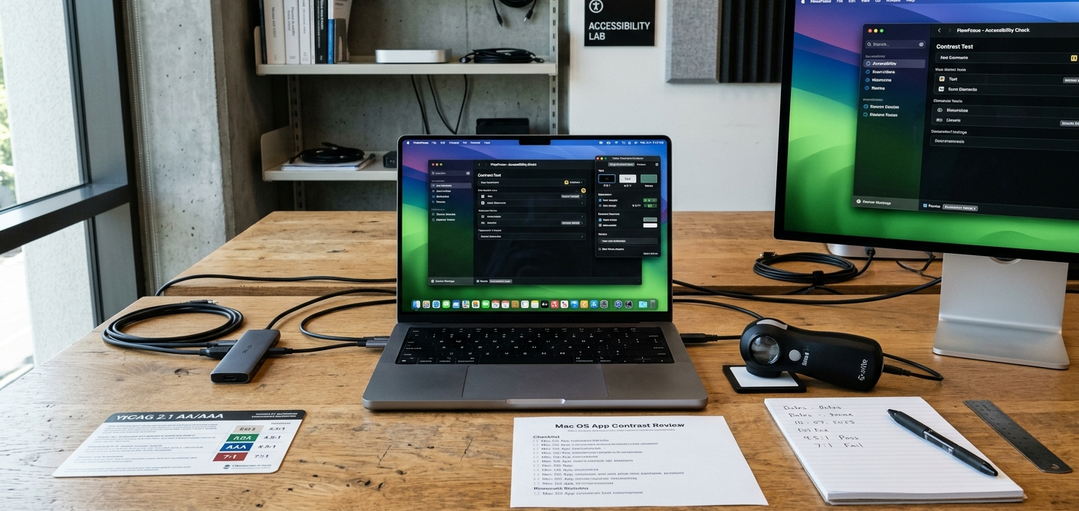
Rather than picking a color from theory, we started by desaturating a screenshot of the full page to grayscale. If the button still read as the brightest, highest-contrast element in monochrome, the visual hierarchy was sound. We targeted a contrast ratio of at least 3:1 between the button fill and the immediate background. This is separate from the WCAG 4.5:1 minimum for the label text against the fill itself.
Shape and depth communicate interactivity. Corner radius settled in the 6px–10px range for desktop primary buttons. Sharper than that read as system-default. Softer, full pill shapes tested better only on mobile and consumer-leaning apps.
A single subtle drop shadow with low blur and roughly 8% opacity offset downward was enough to imply tactility. Layering a second shadow added render cost without a perceptible lift.
Microcopy That Drives Action
In our group, we rewrote button labels by finishing the sentence 'I want to…' from the user's seat. Then we trimmed the result to fit.
'I want to start creating' became 'Start Creating'. 'I want to see what it does' became 'Watch Demo'. Shifting from task-oriented verbs to value-oriented verbs changes the user's perception of the click.
We capped button labels at four words. Past that, line-wrapping forced an awkward button height on mobile widths and the label stopped being scannable at a glance. First-person phrasing like 'Start My Free Trial' was applied to the action button but kept out of nearby anchor text. The anchor text stayed second-person, such as 'No credit card required', to avoid a jarring voice switch.
Audience context dictates tone. First-person copy lifted consumer-app trial starts but read as manipulative to B2B developer buyers. Those technical users converted better on plain imperatives like 'Get API Key' or 'Read the Docs'.
Placement and Contextual Anchors
Placement decisions start from where the eye naturally lands after the value proposition resolves, not from a fixed grid position.
On desktop, primary CTAs placed along the natural F-pattern terminus drew attention faster than centered hero buttons in scroll-map review. Left-aligned buttons below scannable copy blocks intercept the user's reading path perfectly. On long-form landing pages, we placed the same CTA at the hero, after the feature breakdown, and in the final footer band.
Mobile touch targets were held to a minimum of 44×44pt per Apple's Human Interface Guidelines. The tappable area extended beyond the visible fill via padding where the design called for a smaller-looking button. Applying Fitts's Law principles helps size the button appropriately, but gains flatten once the target is comfortably thumb-reachable. Past that point, enlarging the button further mostly costs layout space without measurable speed-to-click improvement.
Reassurance anchors sit within roughly 24px below the button. Security badges, star ratings, or 'No credit card required' text must be close enough to be read as part of the same decision unit.
Scope and Limitations of CTA Optimization
A perfect CTA cannot fix a fundamentally flawed software product.
The hardest lesson was separating button performance from upstream problems—a button rewrite produced no movement because the real blocker was a confusing three-tier pricing table two scrolls above the CTA. When a CTA underperformed, we forced a diagnostic order: pricing clarity first, value proposition second, button last.
Button-level tweaks typically produced lift in the low single-digit percentage range on conversion. This is meaningful at scale, but an order of magnitude smaller than fixing a broken pricing model or trial flow. Furthermore, A/B results from one audience segment failed to transfer to another in our reviews. Copy that lifted clicks for consumer-app trials underperformed for B2B developer tools, where buyers responded to specificity over enthusiasm.
Conversion-rate figures discussed here are directional, derived from specific SaaS product contexts, and shouldn't be quoted as guaranteed targets for different audiences or traffic sources.
Checklist:Pre-Ship CTA Audit
- Button is the highest-contrast element when the page is viewed in grayscale (judged against its local container in dark mode).
- Label completes 'I want to…' and stays under four words.
- Label-to-fill text contrast meets 4.5:1; fill-to-background meets 3:1.
- Reassurance anchors are placed within 24px of the primary button.








Comments
No comments so far.
Join the Discussion