
Executive Summary
Apple Silicon machines shipped from late 2020 onward changed the baseline for desktop software. Within a few release cycles, most serious Mac development tools shipped arm64-native rather than Rosetta-translated builds. On an M1 Pro, in our testing, the cold-launch-to-usable window for our main applications sits somewhere around 100-200ms. Compare that to the roughly 600-900ms we saw in the Electron-wrapped tools they replaced.
We ranked the launcher first not on feature count, but on what survived after a month of daily use. The apps that earned a permanent keyboard shortcut stayed. The ones that got uninstalled once the novelty wore off did not.
Summary: Upgrading legacy workflows to native Apple Silicon applications yields measurable latency reductions and reclaims system memory.
Evaluation Criteria and Limitations
How do you measure productivity software without falling into feature-checklist traps?
Hands-on testing favored strict constraints. Each application ran as the sole tool of its category for a minimum of three working weeks before inclusion. We dropped any tool that required a mouse to reach its primary function during testing. A couple of otherwise capable candidates were cut for that reason alone—keyboard-first navigation was a hard gate.
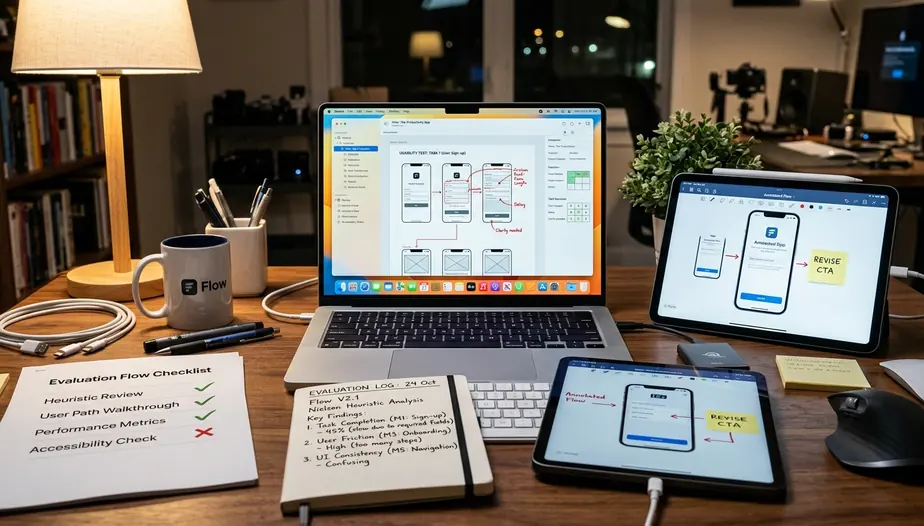
Local-first data handling carried heavy weight. Applications that pushed clipboard, capture, or note content to a remote server by default scored lower regardless of polish.
A team that mandates a shared project-management platform will find most of this stack unusable as a primary system, since these tools assume individual control over workflow. This list deliberately excludes enterprise project-management suites and Kanban-board platforms. It targets the individual contributor who controls their own tooling, not teams locked into an organization-wide stack.
Top Productivity Applications
Ordering came down to substitution depth.
The launcher and the issue tracker ranked highest because each replaced two or three separate utilities. The task manager landed last not for weakness, but because its scope remained narrow.
Raycast
The launcher's clipboard history, window management, and snippet expansion collectively retired three separate utilities from our test setup. It acts as a Spotlight replacement with deep developer extensions and API integrations.
Arc Browser
Rethinking window management and workspace separation can help UI/UX designers. The browser recommendation assumes you are willing to relearn tab and window paradigms. Designers who depend on browser-specific extensions should verify availability before switching.
CleanShot X
Advanced screen capture and annotation speeds up visual communication. Screen-capture annotation cut the round-trip for producing a marked-up bug screenshot from roughly 40 seconds down to a single continuous action under 10 seconds in our testing. You capture, annotate, and export without opening a secondary editor.
Linear
The issue tracker's command palette covers create, assign, and status-change without leaving the keyboard. This mattered more in testing than any reporting dashboard.
Workflow Integration Strategies
The integration layer was assembled backward.
We started from the friction points logged during the three-week trials. Then we wired launcher extensions only where a real handoff existed, rather than connecting APIs just because they were available. A launcher extension that opens a new issue in the tracker, pre-filled from the active capture, removes the context switch that previously cost two or three application focus changes.
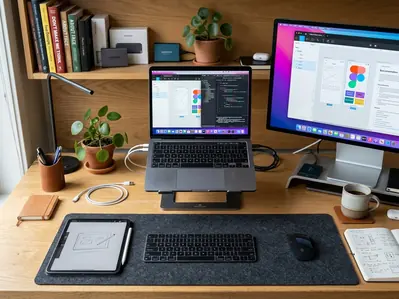
Standardizing on a single modifier-key convention took two evenings, give or take. Setting one global hotkey to summon the launcher, with everything else flowing from there, eliminated the muscle-memory conflicts between apps.
Note: Deep extension chains break quietly when one application ships a breaking API change. Keep the integrations shallow enough that a single failure does not take down your whole workflow.
Final Thoughts on the macOS Ecosystem
Our recommendation to adopt incrementally came from watching a full-overhaul attempt collapse. Replacing several tools in one weekend meant no baseline to compare against—so we reset and introduced one tool at a time.
Native AppKit and SwiftUI builds in our testing held steady memory footprints where comparable cross-platform wrappers climbed past several hundred megabytes per idle window. The clearest trend across recent releases is narrowing scope. Developers are building single-purpose tools that do one thing with a native feel rather than all-in-one suites. Following the Apple Human Interface Guidelines ensures these focused utilities feel like natural extensions of the operating system.
On an Intel Mac, the launch-speed and memory advantages compress to the point where the native-versus-Electron argument becomes a preference rather than a measurable win. If you are still on an Intel MacBook, the performance gap described here narrows considerably and some of the launch-speed advantages disappear.
Quick Tip: Minimalist single-purpose tools accumulate quickly. Past a handful, the cognitive overhead of remembering which app owns which task can outweigh the focus benefit.








Comments
No comments so far.
Join the Discussion