
Core Concepts of Menu Bar Connectivity
Building a utility that lives exclusively in the macOS menu bar requires a fundamental shift in how you handle application lifecycle and resource management. Developers often start by treating these utilities like standard windowed applications, which quickly leads to performance bottlenecks. The first structural change is moving the application into accessory mode. You must set LSUIElement to true in your Info.plist so the app runs as an accessory with no Dock icon and no main menu. This tells the system to treat your software as a lightweight background process rather than a primary workspace application.
Memory constraints in this environment are strict. A menu bar app with no main window often keeps resident memory somewhere around the 20-30 MB range when idle. Spiking above this threshold frequently will draw unwanted attention from the operating system's memory compression routines. Thread management is equally important. A single blocking synchronous request on the main thread can produce a visible beachball after 250 ms of network wait, give or take. Menu bar apps require lightweight, asynchronous network requests to prevent UI blocking entirely.
Early builds often rely on standard timers for data fetching, which introduces a subtle but frustrating bug. A main-run-loop Timer silently stops firing while an NSMenu or popover is tracking mouse input, so the displayed data goes stale exactly when the user is looking at it. Moving everything off the main actor and treating the menu as a reflection of background state is a reliable path forward.
Quick Tip: This applies to accessory-mode (LSUIElement) apps. If you also ship a regular windowed mode, the same network manager works but you must handle the app moving between accessory and regular activation policies dynamically.Designing the Network Architecture
We initially reached for a shared singleton network manager because it was the fastest path to a working menu bar item. It became painful the moment we wrote tests—there was no way to swap in a mock. Separating the networking layer from the AppKit or SwiftUI view layer resolves this tight coupling. Keep the networking layer in its own Swift package target with zero AppKit or SwiftUI imports. The view layer subscribes to an AsyncStream or @Published state object instead of calling fetch methods directly.

Establishing a dependency-injected network manager also simplifies secure credential storage. For REST API integration, store authentication tokens securely in the macOS Keychain. Store the auth token via SecItemAdd with kSecAttrAccessibleAfterFirstUnlock so a background refresh can read it even when the screen is locked but the user has logged in since boot.
There is a specific edge case to watch for with this security class. Using kSecAttrAccessibleAfterFirstUnlock leaves the token unreadable on a scheduled fetch immediately after cold boot before any login, which differs from behavior on a normal wake-from-sleep cycle. For those cases, fall back to deferring the fetch rather than reading a token that isn't yet available and triggering an unnecessary authentication error.
Executing Background Fetches
How do you reliably schedule periodic updates without relying on the main run loop? Switching the cadence to a DispatchSourceTimer on a background queue fixes the stalling issue associated with mouse tracking. For a status-bar refresh loop, a 60 to 120 second interval, more or less, is the practical floor before battery and rate-limit cost outweighs freshness for most dashboard-style data.
Configuring the session correctly is the next hurdle. Developers often assume that background fetching requires a background session. However, URLSessionConfiguration.background(withIdentifier:) is meant for long transfers that survive app termination. For sub-second JSON polls, use.default or.ephemeral and drive cadence yourself, since the system coalesces background tasks and may delay them by minutes. You can review Apple's URLSession documentation for deeper specifics on session behavior.
Using async/await for clean, readable asynchronous network calls is common now, but it requires strict thread safety discipline. The awaited continuation can resume on any executor. Wrap UI mutations in await MainActor.run { } or mark the update method @MainActor, or you will get intermittent crashes that only reproduce under load.
Data Parsing and Interface Updates
Decoding directly into the model the UI consumed meant one unexpected null from the API blanked the whole menu. We split decoding into a transport DTO with lenient optionals, then map into a clean domain model. Missing or malformed data needs to fail gracefully rather than crash the app.
If the API can return arrays where individual elements are malformed, decoding an [Item] fails wholesale. Decode into [FailableItem] wrappers if you want to keep the valid rows and discard only the broken ones. Using Codable protocols to map JSON responses to Swift data structures requires careful configuration of your decoder.
Use a JSONDecoder with.convertFromSnakeCase and a custom dateDecodingStrategy. Servers that emit fractional-second ISO8601 timestamps require a formatter with.withFractionalSeconds or decoding throws on otherwise valid payloads. An ISO8601 timestamp with fractional seconds decodes fine in one API version and throws in the next unless the decoder is configured properly.
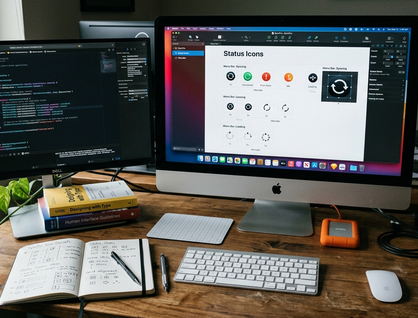
Note: Triggering menu bar icon changes based on new data states requires specific image handling. Drive the NSStatusItem image from an enum with explicit states—loading, value, error—and use template images (isTemplate = true) so the icon tints correctly under light, dark, and accent-colored menu bars.Managing Battery and Rate Limits
Frequent polling affects MacBook battery life and can decide whether the app stays installed. Hands-on testing confirmed that continuous 30-second polling on battery is the single fastest way to get a menu bar utility flagged in the user's Energy impact list and uninstalled. Budget your default interval as if every user is watching that number.
We tuned polling cadence against power state after noticing the app showed up in Energy impact rankings during testing. The fix was reading the thermal and power source state and stretching the interval dynamically. Third-party API rate limits matter for the same reason: they prevent IP bans or service interruptions. Honor the Retry-After header and X-RateLimit-Remaining when present. Treat a 429 as a hard stop and schedule the next attempt for the timestamp in X-RateLimit-Reset rather than your own backoff curve.
Exponential backoff strategies for failed API requests prevent cascading failures. Exponential backoff starting at something like 2 seconds and doubling with jitter, capped at around 5 minutes, prevents a hammering retry loop when an endpoint returns 5xx during an outage. These backoff strategies reduce server pressure in practice, but they assume a relatively stable host network; highly volatile connections may require more aggressive timeout thresholds.
Resource balance: Efficient JSON parsing and state management are important for smooth user experiences, but they must be balanced against system resources and network constraints.Pre-Ship Checklist for a Networked Menu Bar App
- LSUIElement set to true; no Dock icon or stray windows on launch
- All network calls off the main actor; UI mutations confined to @MainActor
- Auth token in Keychain with an accessibility class that matches your background fetch requirements








Comments
No comments so far.
Join the Discussion